


I’ve used a lot of crypto wallets over the years, but Rabby Wallet is the rare exception that actually changed how I interact with on-chain protocols.
After spending real time in both the browser extension and their rapidly evolving mobile app, I’m convinced it deserves more credit than it usually gets outside of hardcore DeFi circles.
Built by the team behind DeBank, Rabby was designed from day one to solve the exact pain points that MetaMask users have quietly tolerated for years: manually entering RPC endpoints, staring at unreadable hex data before signing, and having no real way to know what a transaction will actually do until after it’s processed.
Five years into its journey, Rabby has transformed from a niche power-user tool into a major force in the EVM landscape. This shift is highlighted by massive milestones, such as Rabby surpassing 4.2 million global installations.
This rapid growth and ecosystem matureness are further emphasized by recent high-profile integrations, such as Aave launching its lending market on Monad and recommending Rabby Wallet as the primary gateway to reduce onboarding friction and easily supply assets.
If you’re ready to move away from legacy extensions, setting up Rabby is incredibly straightforward. Here is exactly how to get up and running:
Once your wallet has some activity, the home screen becomes the real showcase of what Rabby is trying to do differently. Instead of just showing a single asset list, the dashboard is designed as an interactive command center.
Your total balance sits cleanly at the top, accompanied by a wallet counter. Because Rabby lets you manage multiple addresses simultaneously from a single app, you never have to constantly swap browser profiles or extensions.
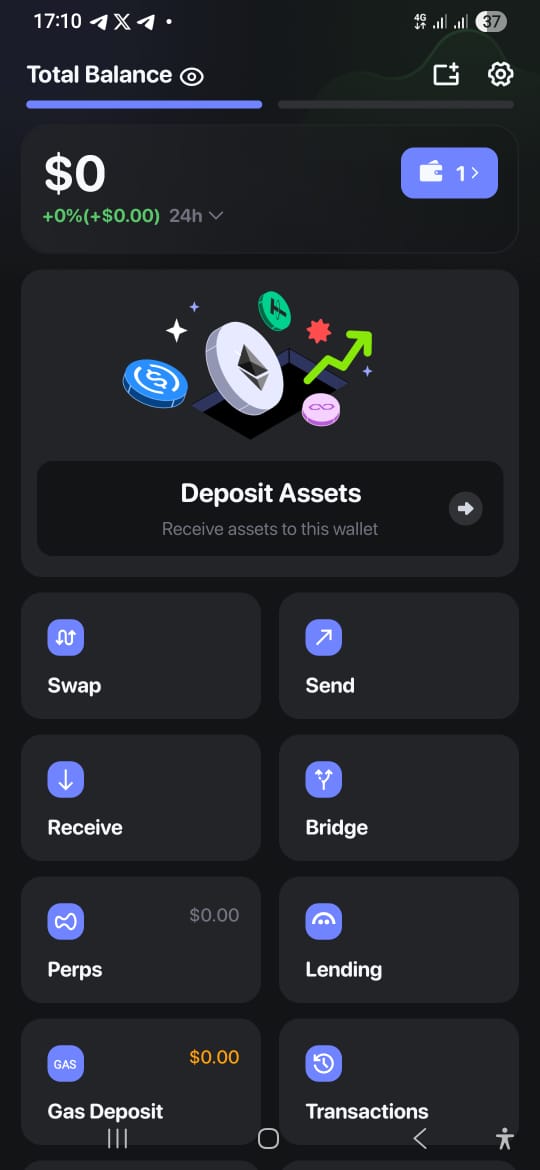
Right below your balance is a full grid of action buttons:
If I had to pick one feature that completely justifies abandoning MetaMask, it is Transaction Simulation.
Before you confirm any transaction, Rabby runs it through a local simulation and breaks down exactly what is about to happen in plain English. It doesn’t show you a wall of unreadable hex data. Instead, it lists:
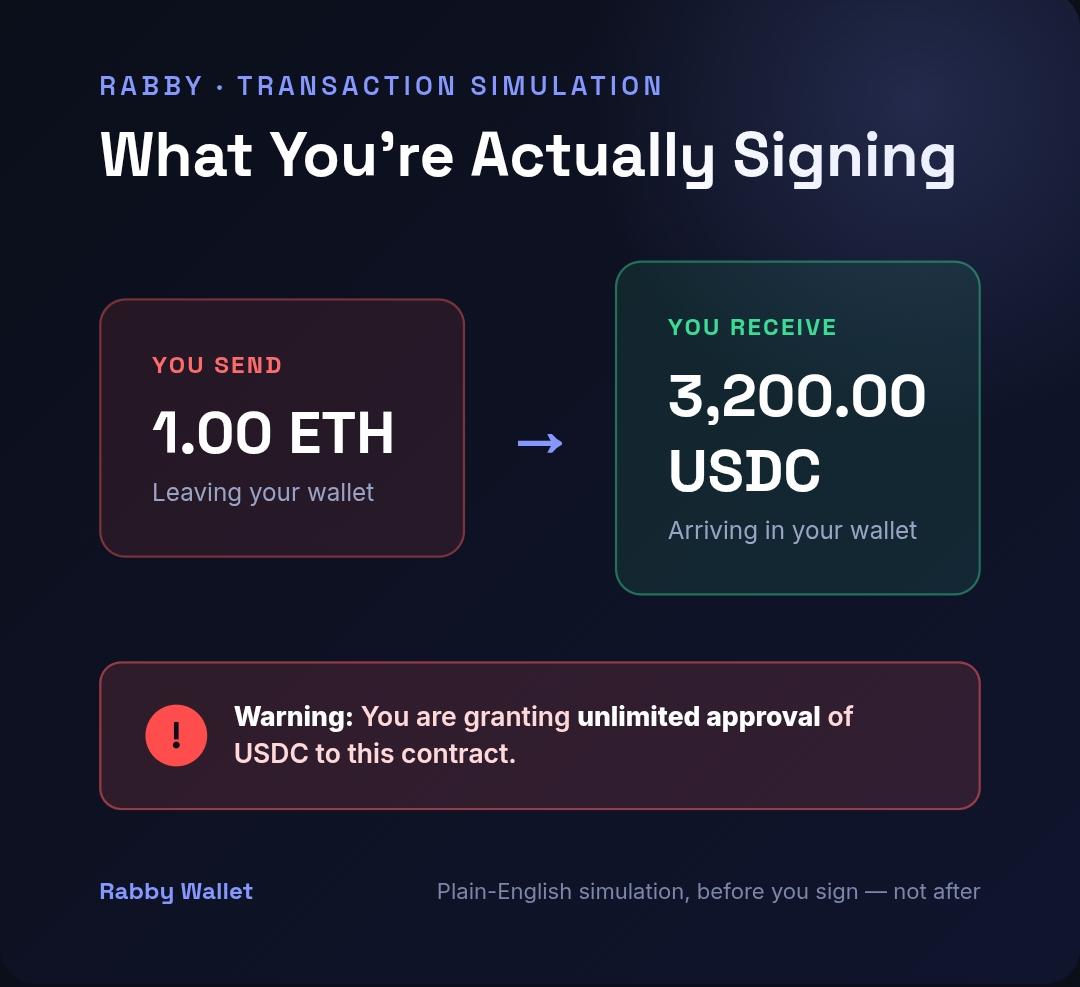
This single feature prevents more catastrophic losses than any amount of security advice ever could. If a decentralized application tries to sneak in an unauthorized unlimited token approval, Rabby catches it and flags it before you sign.
Checking balances on MetaMask usually requires manually toggling through five different networks to see what you hold. Rabby completely bypasses this by pulling all of your assets, NFTs, lending positions, staking, and liquidity pools across all EVM networks into a single, unified dashboard.
Additionally, the in-wallet claiming tool is a massive time-saver. Instead of navigating through multiple individual protocol websites to harvest accumulated yield, Rabby aggregates your unclaimed rewards and lets you claim them right from the interface.
Beyond transaction simulation, Rabby runs a comprehensive security engine in the background. It scans for known phishing domains, flags unverified smart contracts, and alerts you to potential exploits before you ever click connect.
One of the most essential built-in security features is Approval Management. Most wallets require you to visit a external, third-party site to revoke old token approvals. Because it is a multi-step process, most people never do it, leaving their wallets vulnerable to smart contract exploits. Rabby surfaces every outstanding approval across every chain you use, ranks them by risk level, and allows you to revoke them in a single tap.
Anyone who has navigated Web3 knows the intense annoyance of the MetaMask popup ritual:
Rabby completely automates this. It instantly detects which chain a dApp is running on and automatically routes the transaction through the correct network, no manual configuration, no RPC entries, and no repeated popups breaking your workflow.
MetaMask is by no means a bad wallet. It is the legacy pioneer of Web3, remains the default standard that every single dApp builds for first, and its mobile-first infrastructure is highly mature. If you absolutely require the widest possible legacy compatibility, MetaMask is always a solid backup.
However, for anyone regularly interacting with DeFi, Layer 2s, and multi-chain protocols, Rabby is the clear winner:
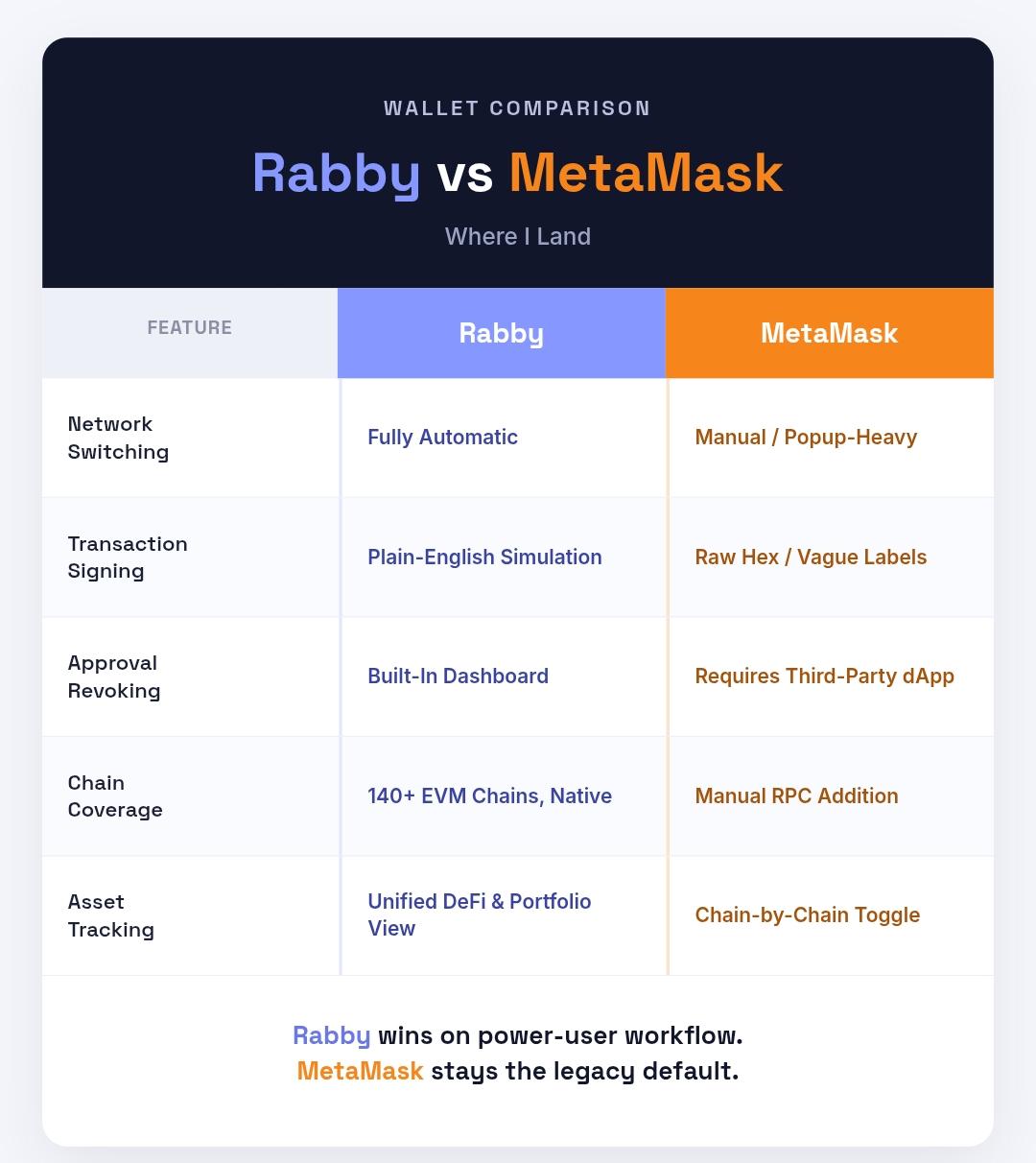
Most Web3 power users I know have landed on a hybrid approach: using Rabby as their primary daily driver for 99% of transactions, while keeping MetaMask installed as a backup for the occasional legacy site.
If you’re ready to experience a wallet that actually protects you from phishing scams, automates your network management, and lets you read what you are signing, download the wallet at rabby.io and follow their updates on X (@Rabby_io). It is a massive upgrade to the daily Web3 experience.
Some visuals in this article are AI-generated illustrations created to demonstrate Rabby Wallet’s features and are not actual screenshots of the app. For accurate, up-to-date information or to interact directly with the wallet, please visit rabby.io.
Disclosure: This is not trading or investment advice. Always do your research before buying any cryptocurrency or investing in any services. Follow us on X @nulltxnews






The 2026 World Cup final between Spain and Argentina is driving over $2 billion in crypto prediction market volume, with fan tokens and Polymarket seeing
HoudiniSwap has announced a significant partnership with Pumpfun to introduce private wallet funding. This collaboration has sparked discussions among traders regarding its potential implications for
Moonshot AI’s Kimi K3 launches, challenging Anthropic and OpenAI. Anthropic’s valuation hitting $1.25T by December at 92% YES. The post Moonshot AI’s Kimi K3 challenges
Senator Lummis supports the CLARITY Act for law enforcement improvements. Act signed into law by 2026 at 34.5% YES. The post Senator Lummis: CLARITY Act