
I never thought a single overlay click could cost me a password I’d relied on for months. But that’s exactly what happened, and it’s why I’ve become somewhat obsessed with a feature Google Password Manager still doesn’t have: version history.
Here’s how it went. I logged into a site I use regularly, and Google Password Manager did what it always does, quietly saving my credentials in the background. No fuss, no friction. I appreciated that convenience right up until the moment it worked against me. Moments after logging in, I was trying to fill in some unrelated figures elsewhere on the same page when a pop-up appeared out of nowhere. It wasn’t something I asked for, and it definitely wasn’t something I was watching for. I clicked it by reflex, the way you do when something suddenly demands your attention on a screen you’re already interacting with. That single click overwrote my saved password with whatever value happened to be sitting in that unexpected field.
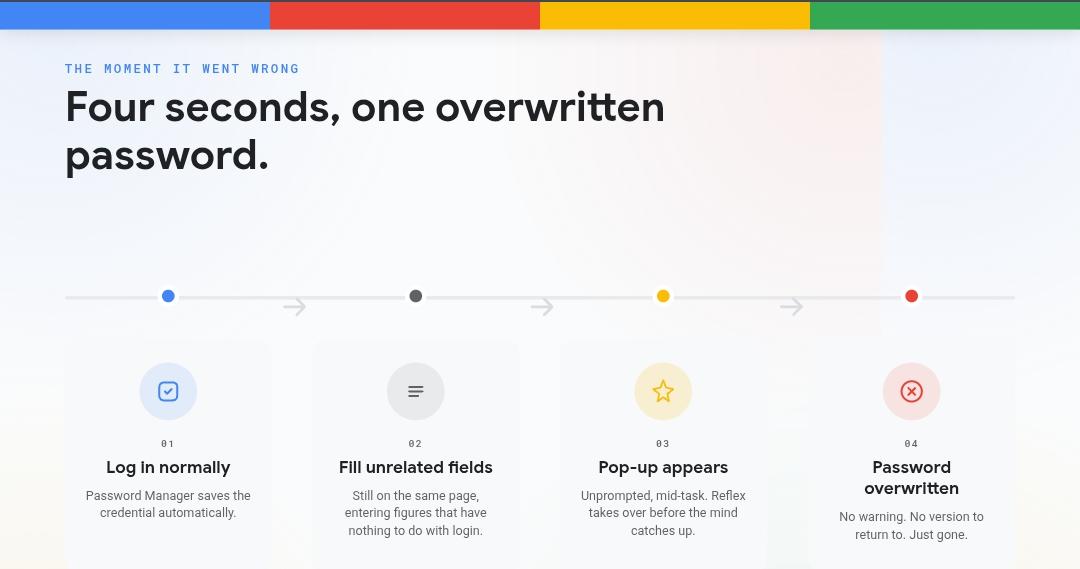
By the time I realized what had happened, the damage was done. My original password was gone, replaced by something I never intentionally set, and Google Password Manager had no memory of what came before. There was no undo, no version to roll back to, nothing. Just a blank wall where a working credential used to be. I’ve been picking through account recovery flows ever since, and if you’ve ever tried to recover access to an account without your original password or a reliable backup method, you know exactly how much time and patience that eats up.
What strikes me most about this whole experience is how avoidable it could have been. Password managers exist specifically to protect us from exactly this kind of failure, the accidental overwrite, the misclick, the unexpected interface behavior that a browser can’t always anticipate. Yet the very tool built to safeguard my credentials had no safety net for the moment my credentials actually needed saving from myself.
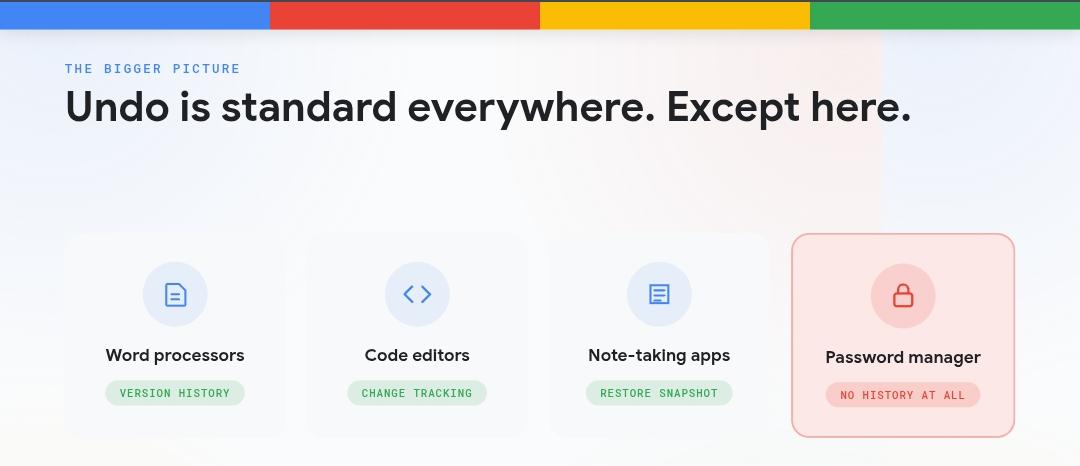
This isn’t just a personal gripe. It’s a design gap. Google Password Manager saves changes automatically and silently, which is a feature when everything goes right and a liability when it doesn’t. There’s no concept of a save history, no lightweight version log a user could glance at and say, “actually, that’s not the password I meant to store, let me go back three saves.” Compare that to how nearly every serious productivity tool now treats version history as a baseline expectation. Word processors let you roll back through document revisions. Code editors track every meaningful change. Even note-taking apps quietly keep snapshots you can restore from. Password management, arguably one of the most consequential categories of software we use daily, still treats every save as final and irreversible.
My suggestion is simple, and I don’t think it’s a lot to ask. Google Password Manager should keep a short history of saved passwords per site, intentional or accidental, up to maybe five entries. Nothing complicated. Just enough of a buffer that a misclick, a stray pop-up, or an overeager autofill doesn’t permanently sever your access to an account.
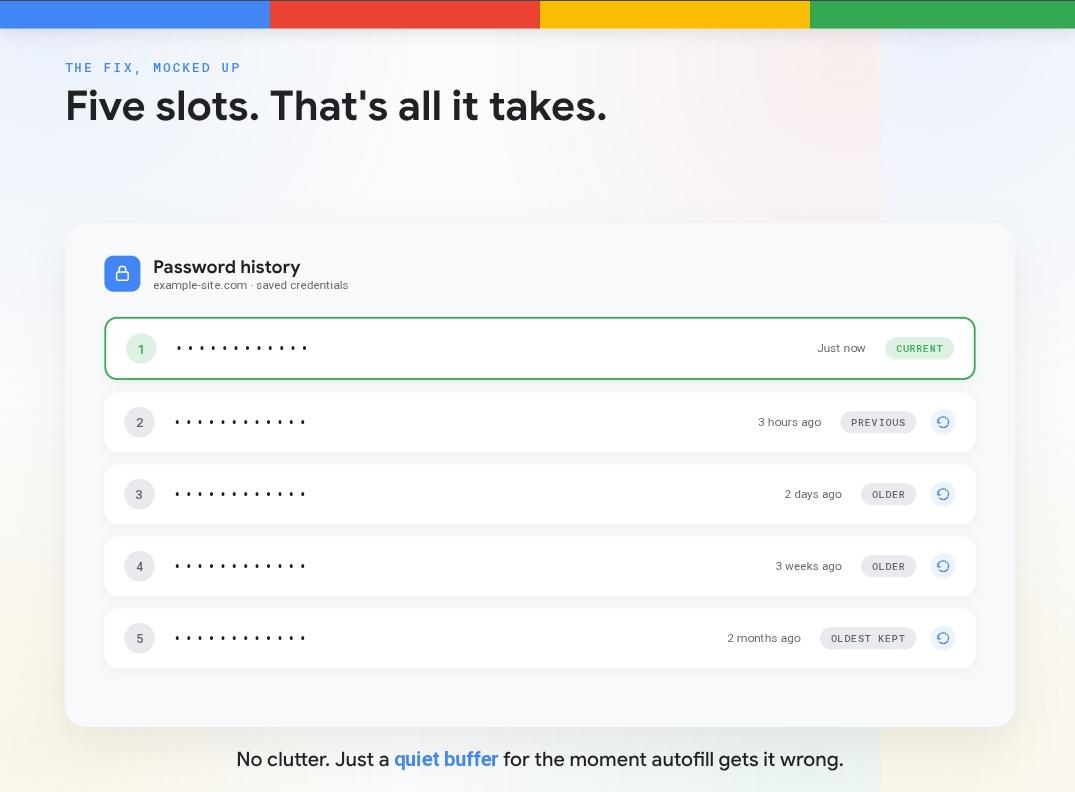
Five versions would be plenty for most people. It wouldn’t clutter the interface, and it wouldn’t demand much extra storage. It would simply give users a way back when the software does exactly what it’s designed to do at exactly the wrong moment.
There’s also a trust dimension here that I think gets overlooked. Part of why people hand over their credentials to a password manager in the first place is the implicit promise that it’s safer than remembering things yourself or writing them on sticky notes. But safety isn’t just about encryption and autofill convenience.
It’s also about resilience when something goes wrong. A tool that can silently destroy the only copy of your password, with no way to recover the previous version, isn’t offering the level of safety its core promise implies.
I know this feature request probably sounds minor next to the bigger conversations happening around password managers right now, passkeys, biometric authentication, the slow death of the password altogether. But until that future actually arrives for every site I use, I’m still relying on saved passwords every single day, and so is nearly everyone else. A basic history log wouldn’t be flashy. It wouldn’t make headlines. It would just quietly fix one of the most frustrating blind spots in a tool millions of people trust without a second thought.
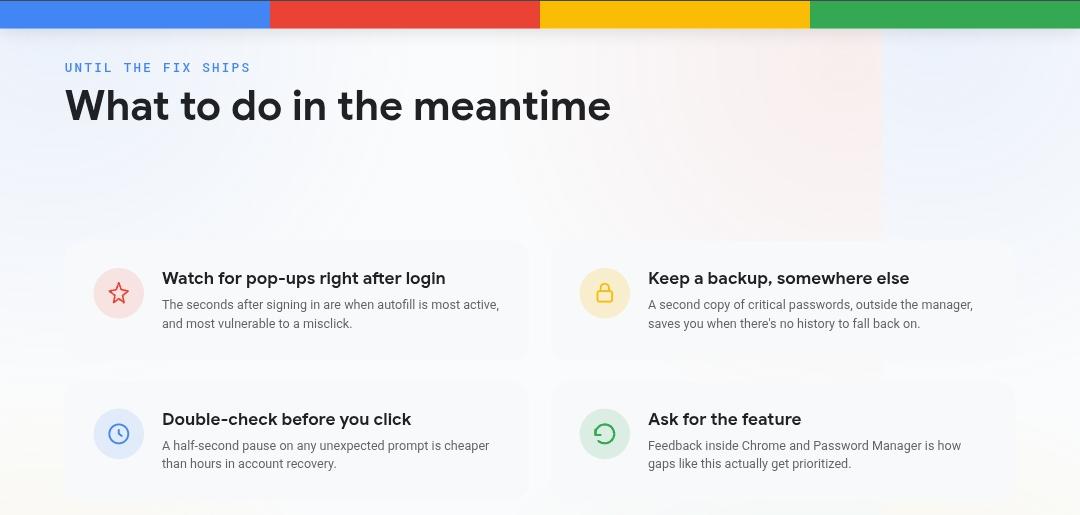
Until Google adds something like this, my advice to anyone reading is blunt: don’t assume Google Password Manager has your back the way you think it does. Keep a backup of anything critical elsewhere, and think twice before clicking on any pop-up that appears the moment you’ve just logged in. I learned that lesson the hard way, and I’d rather you didn’t have to.








As PEPE consolidates its weekly gains to defend key technical support, institutional and retail capital is increasingly rotating into high-yield micro-caps like the Maxi Doge
US military strikes on Iran, a $7.7B stablecoin contraction, and weak ETF inflows have driven Bitcoin to $62,870 with no clear support above $57,800. The
BTC rose 1.2% to $63,000 and Nasdaq futures jumped 2.6% with markets seemingly unconcerned by U.S. airstrikes on Iran. Bitcoin is now up 9% since
UK’s persistent inflation challenges could drive investors towards traditional assets, impacting crypto’s appeal amid high opportunity costs. The post UK faces more entrenched inflation problem